

Disclosure: This post contains affiliate links. If you make a purchase, we may earn a commission at no extra cost to you.
Diode lasers at the budget end of the market can engrave wood well. Cutting plywood is where the cheapest machines start to struggle, and it is also where marketing claims matter most. This guide does not crown “winners.” We have not run these machines ourselves, and ranking lasers nobody has tested would be guesswork. Instead you get a way to read a spec sheet, a realistic picture of what a working setup costs, what published reviews and user reports say about a few popular machines, and a short list of checks to run before you pay.
How this article was put together
Everything below comes from manufacturer spec sheets, published reviews and public user threads, all linked in the sources at the end. When a number comes from a single review or a single forum post, we say so. Prices change often, so treat every price here as a snapshot and confirm it on the seller’s page.
What a budget diode laser can realistically cut
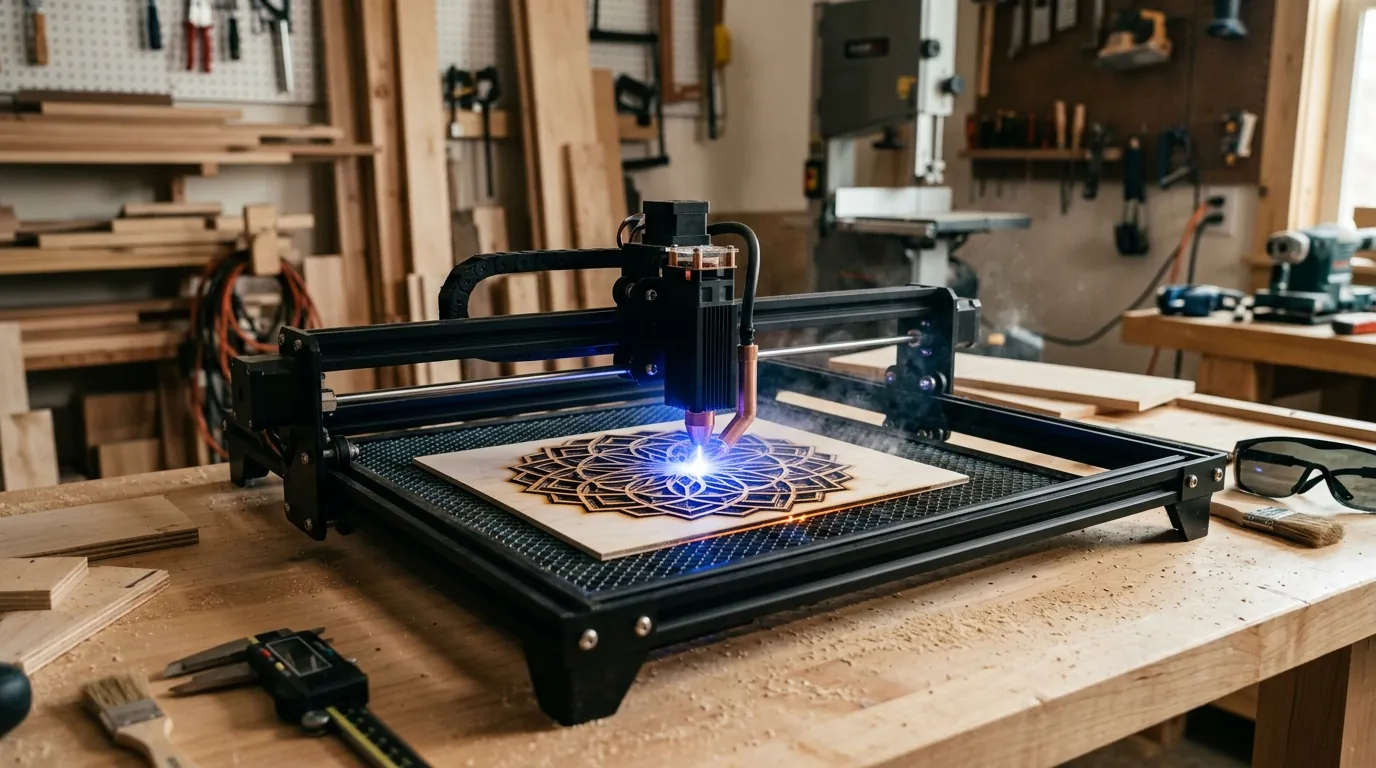
Hobbyists commonly cut 3 mm plywood with 10W to 20W class diode lasers and air assist, but results depend heavily on the wood species, the glue between the plies and how well the beam is focused. Public reports show how wide the range is:
- A LightBurn forum user reported a clean cut through 2.7 mm basswood plywood at 456 mm/min with a laser he described as 10W (one post from 2023; the wattage label was not independently verified).
- A published review of the TwoTrees TTS-20 Pro, rated 20W, reports a 3 mm basswood cut at 300 mm/min at 100% power and a single-pass cut through 6 mm basswood.
Basswood plywood is generally easier to cut than birch plywood with dense glue lines, so expect slower speeds or extra passes on birch. Treat every speed you read, including these, as a starting point to test on scrap.
Reading the spec sheet: question the wattage first
Listings often lead with a big number such as 20W, 40W or 80W. That number can describe optical output, the module’s electrical input, or a marketing figure like “effective power.” Community threads show how confusing this gets:
- One LightBurn forum poster noted that a laser sold as “80W effective” ran from a 12V supply rated at about 3.1A. That is roughly 37W of electrical power, so the label cannot describe real output.
- Another user compared a laser labelled 24W with his 10W machine on 2.7 mm basswood plywood. His 10W cut cleanly at 456 mm/min, while the 24W unit managed 611 mm/min at its maximum, which he estimated as about 14.5W of useful cutting power. He reported that the seller called this normal.
- The TTS-20 Pro review we cite lists “up to 20 Watts” and a 450 nm module but does not measure real output.
Practical rule: look for the words “optical power,” check the supply voltage and current, and judge the machine by independent cut results on the material and thickness you actually use, not by the headline number.
The checklist
| What to check | What to look for |
|---|---|
| Frame and motion | A rigid frame and tight belts. Look for reviews that mention gantry flex, assembly effort and belt tension, not just spec lists. |
| Controller and software | A 32-bit board that works with LightBurn or LaserGRBL. The TTS-20 Pro reviewer connected over USB with both; the Wi-Fi app did not work for him. |
| Air assist | Is a pump included, and can you adjust it? The same review describes an adjustable 10 to 30 L/min pump with its own power supply that you switch on yourself. |
| Lens care | The reviewer reported that the lenses got dirty after a few uses, causing scorching and incomplete cuts until he cleaned the lens and the one beneath it. Plan to clean lenses regularly. |
| Work area and bed | Compare the work area with the bed you actually get. That review lists a 418 x 418 mm engraving area but a 350 x 350 mm honeycomb bed. |
| Safety | An enclosure or at least a cover, plus eye protection rated for 450 nm blue light. |
| Support and returns | A clear return policy and a manufacturer that answers questions. The reviewer was still waiting on support about the Wi-Fi problem. |
What a working setup really costs
The machine price is only part of the budget. Plan for these extras:
- An air assist pump, if the machine does not include one.
- A honeycomb or slat bed that lets smoke and heat escape from under the workpiece.
- Ventilation that vents fumes outdoors.
- Laser safety glasses rated for 450 nm, and a fire extinguisher within reach.
- Software. Many budget machines work with the free LaserGRBL. LightBurn is paid, and its licenses depend on the controller type (G-code diode lasers versus DSP-controller machines). LightBurn’s own 2.2 announcement refers to Core and Pro license tiers, so check the current prices on lightburnsoftware.com instead of relying on older figures.
What published sources report about specific machines
These entries are summaries of other people’s tests and opinions, not our results.
| Machine | Source | What it reports | Caveats |
|---|---|---|---|
| TwoTrees TTS-20 Pro | The Gadgeteer review (2023) | Rated 20W. 3 mm basswood cut at 300 mm/min at 100% power; 6 mm basswood cut in one pass. Lens soot caused failed cuts until cleaned. Price at review time: $669. | Single reviewer, 2023 price and a discount code that has since expired. Speed for the 6 mm cut was not given. |
| TwoTrees TTS-20 Pro | CNX Software review (2023) | Repeats the rated specs. Does not measure real output. The only plywood cut test was 1.5 mm plywood. | No test on thicker plywood. |
| xTool D1 Pro versus Atomstack X7 Pro and X20 Pro | CNCSourced comparison (Feb 2024) | The author prefers the D1 Pro for build quality, connectivity and speed. The Atomstack machines are cheaper and claim deeper cuts on basswood plywood (8 mm and 18 mm versus 6 mm and 10 mm). | The depth figures are manufacturer claims. Prices inside the article are inconsistent (roughly $480 versus $700 for the 10W pair). |
The practical takeaway: in these sources, machines at the 20W level cost well above $500, and the cheapest options were 10W class. A “20W under $500” deal may exist during sales, but confirm the real price and the real optical power before you rely on it.
Five checks before you buy
- Search for the exact model. Read recent threads on the LightBurn forum and in owner groups, and look for posts that show settings for 3 mm plywood.
- Ask the seller for the optical output spec in writing, and compare it with the power supply rating.
- Confirm the return policy and who pays for return shipping.
- Add up the extras from the list above and compare the total, not just the machine price.
- Plan a scrap test for the first day: a speed and power grid on your own plywood before you cut a real project.
Which buyer should lean which way
- Mostly engraving and thin material (1.5 to 3 mm): a 10W class machine is usually enough, and it keeps the budget for accessories.
- Regular 3 mm plywood projects: a 10W machine can do it with patience and extra passes; stronger modules save time.
- Frequent 6 mm plywood: look for independent cut tests on birch, not only on basswood, and be ready to pay more.
- Clear acrylic: diode lasers do not cut it. That is a job for a CO2 laser.
Frequently asked questions
Can a laser under $500 cut 6 mm plywood?
It depends on the machine, the wood and your settings. One published review reports a single-pass cut through 6 mm basswood on a 20W-rated machine, but that machine cost more than $500 at the time. Birch plywood with dense glue lines is harder than basswood, so expect extra passes and test on scrap.
Is LightBurn included with budget lasers?
Usually not. Many machines work with the free LaserGRBL, and LightBurn is a separate paid license. Check the current license types and prices on LightBurn’s website.
What is the difference between optical power and electrical power?
Optical power is the light the laser actually emits. Electrical power is what the module draws from its supply, and it is always higher because some energy is lost as heat. Listings that mix the two up can make a machine look several times stronger than it is.
Sources
- Two Trees TTS-20 Pro 20W laser engraver review, The Gadgeteer
- TTS-20 Pro laser engraver review, CNX Software
- xTool vs Atomstack, CNCSourced
- Recent 24 watt diode laser engraver seems to be putting out 14.5 watts on materials test, LightBurn forum
- Laser claims by sellers misleading, LightBurn forum